INTRODUCTION
The car set the expectation, the configurator broke it
Land Rover came seeking assistance to improve their vehicle configurator following negative customer feedback. The goal was to enhance both UI and UX, addressing pain points that caused user frustration and ensuring the configurator felt as premium and innovative as the brand itself.
PROBLEM
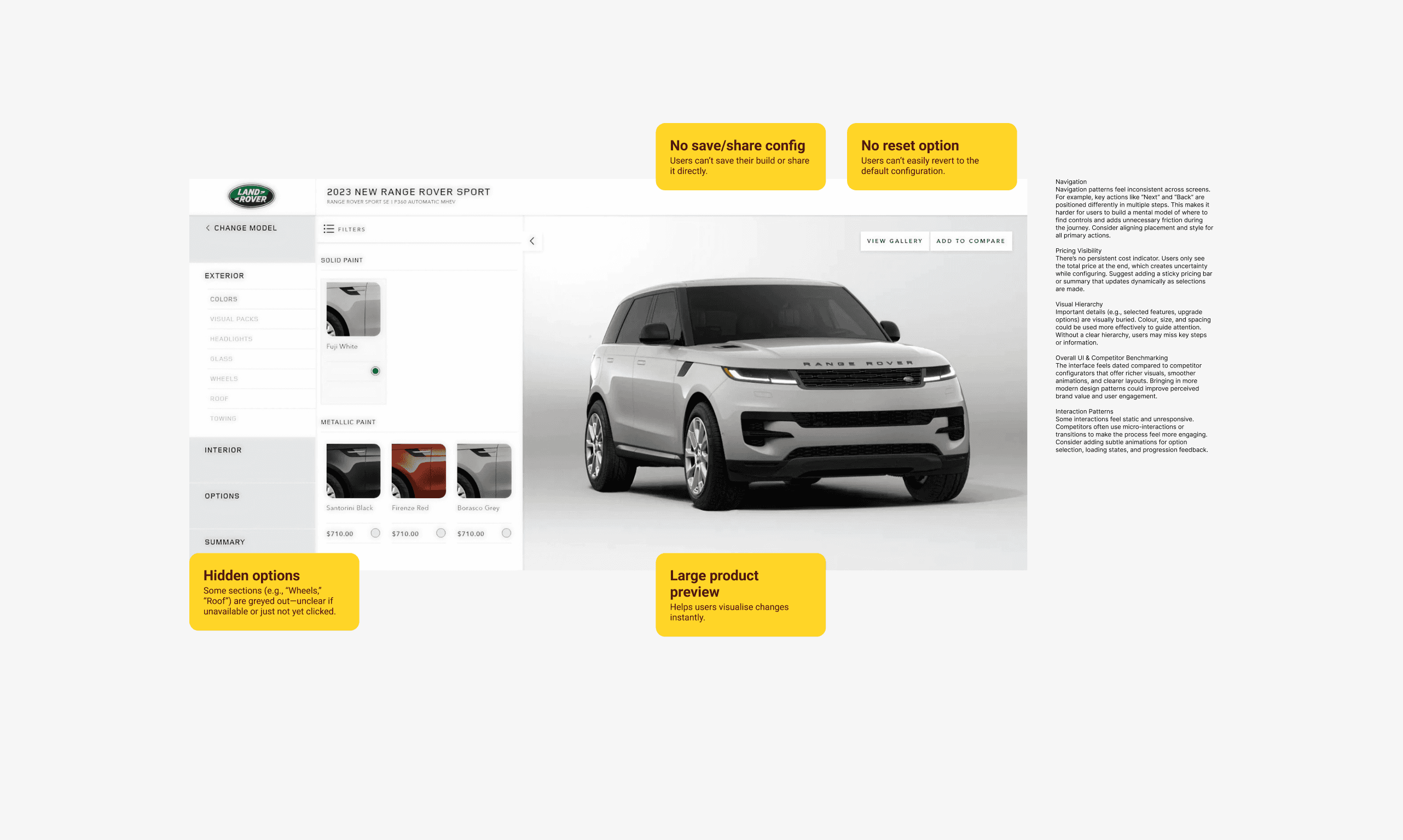
Before making any changes, I engaged directly with the existing configurator to experience the journey as a customer would. This hands-on evaluation revealed several issues:
↳ Pricing was only shown at the end.
These observations were echoed in client feedback, confirming the need for a complete rethink of the flow and features.
USER RESEARCH
Nobody knew what they were going to spend until it was too late
To validate and expand on these findings, I conducted user testing with 16 participants. A mix of existing Land Rover customers and new prospects.
Participants were asked to complete six configuration tasks while their screens were recorded for later analysis.
↳ 100% Surprised by the final value.
↳ 70% Found configuring vehicles stressful.
↳ 60% Struggled to change selected options.
INFORMATION ARCHITECTURE
Reducing options creates clarity, removing context creates doubt
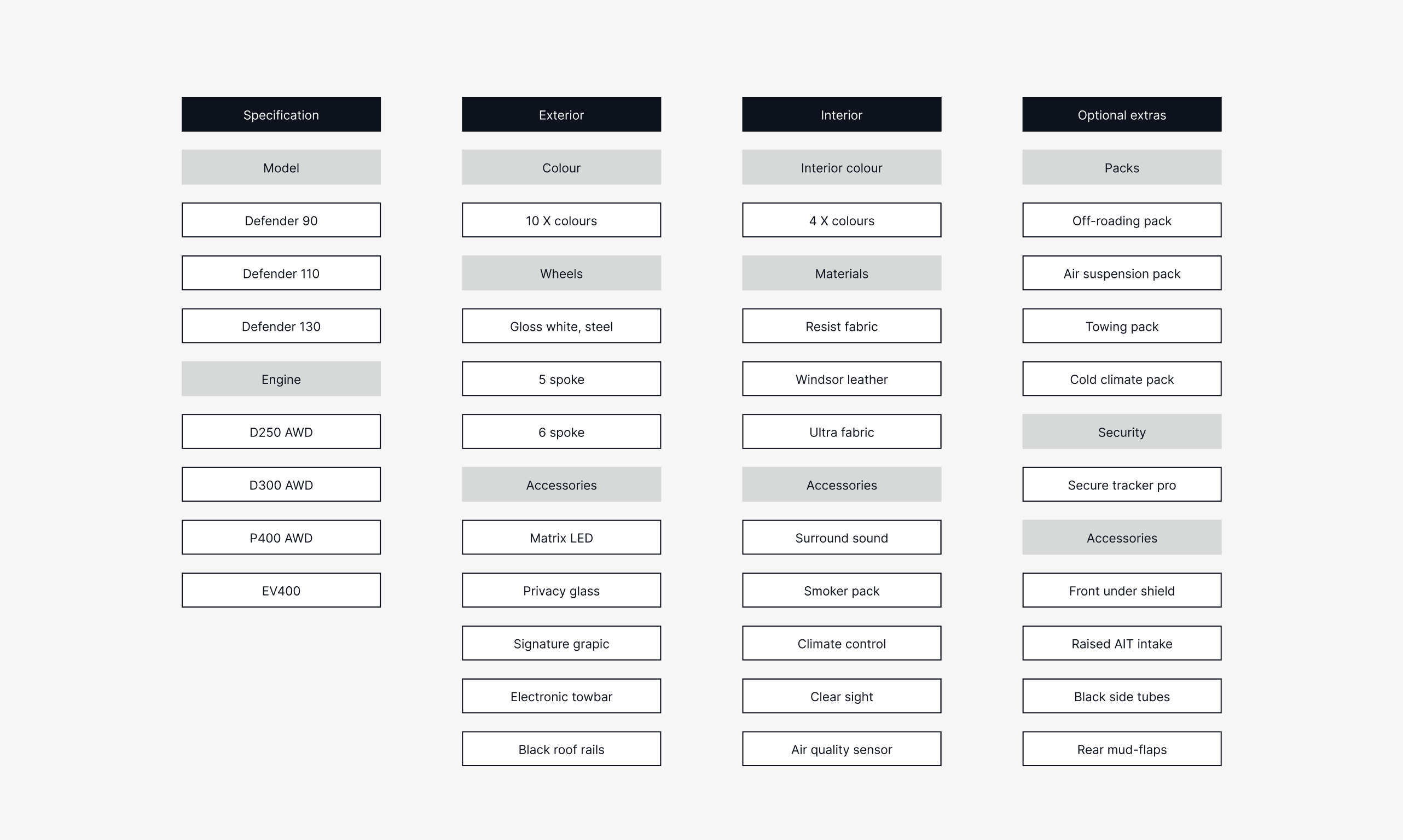
Land Rover has opted to reduce their options to simplify their business operations. The new architecture aims to facilitate customers in navigating the configurator and locating the options that appeal to them.
Problem
Balancing simplicity with comprehensive choice was a significant challenge. Reducing the number of available options risked making users feel that their choices were overly limited, potentially impacting their satisfaction.
Potential solution
One approach to address this challenge could be to incorporate extensive educational content within the configurator. This could include comparison tools, detailed explanations of features and options, and high-quality images and videos. By providing clear and comprehensive information, users would be able to make informed decisions confidently. This strategy could ensure that the configurator remains user-friendly and maintains the premium feel of the brand, thereby enhancing overall customer satisfaction despite the streamlined selection process.
USER FLOW
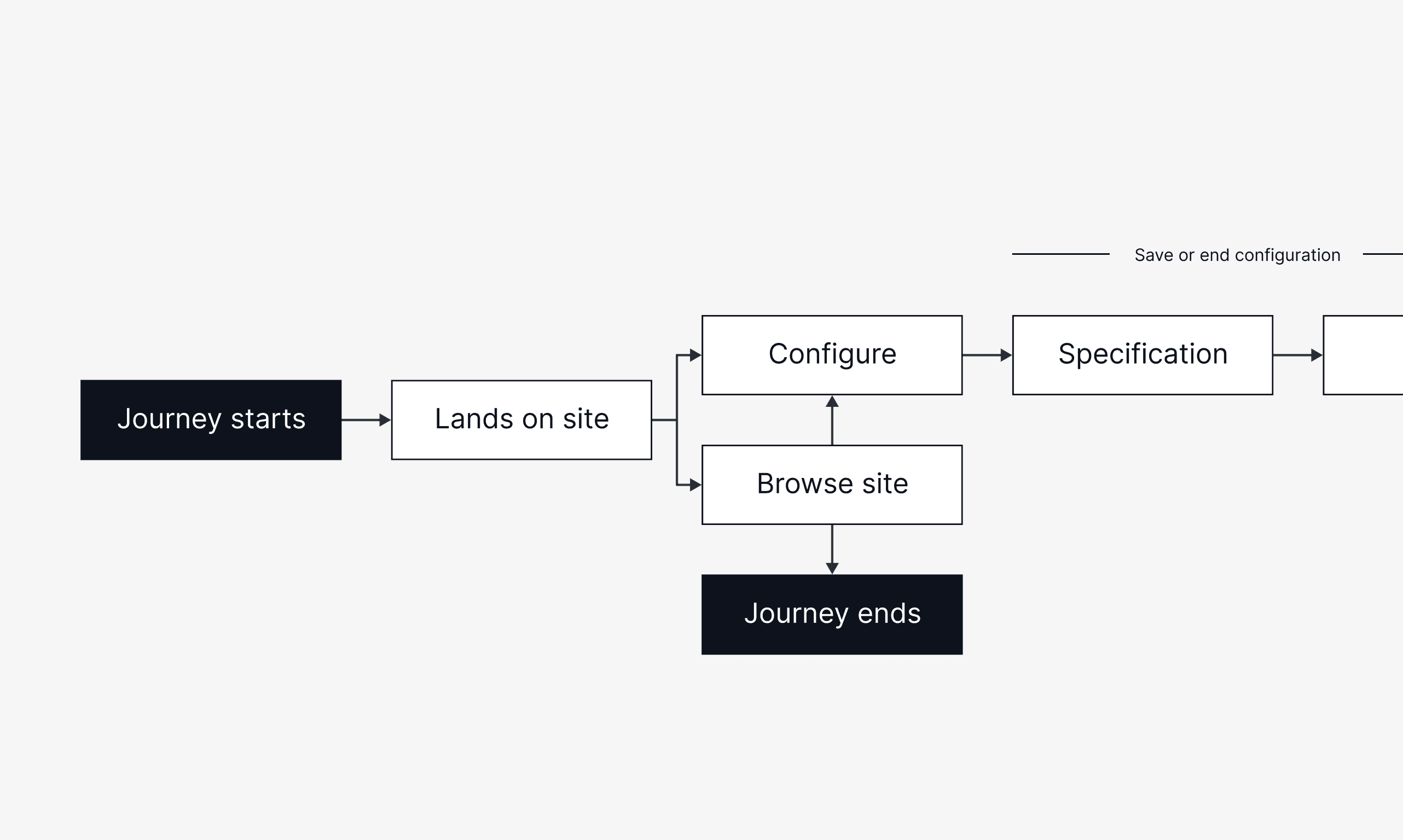
I mapped multiple user flows to
This mapping was key to aligning the design team, developers, and stakeholders on the improved journey.
LAYOUT EXPLORATION
The horizontal layout looked good on a wide monitor, the vertical layout worked everywhere else
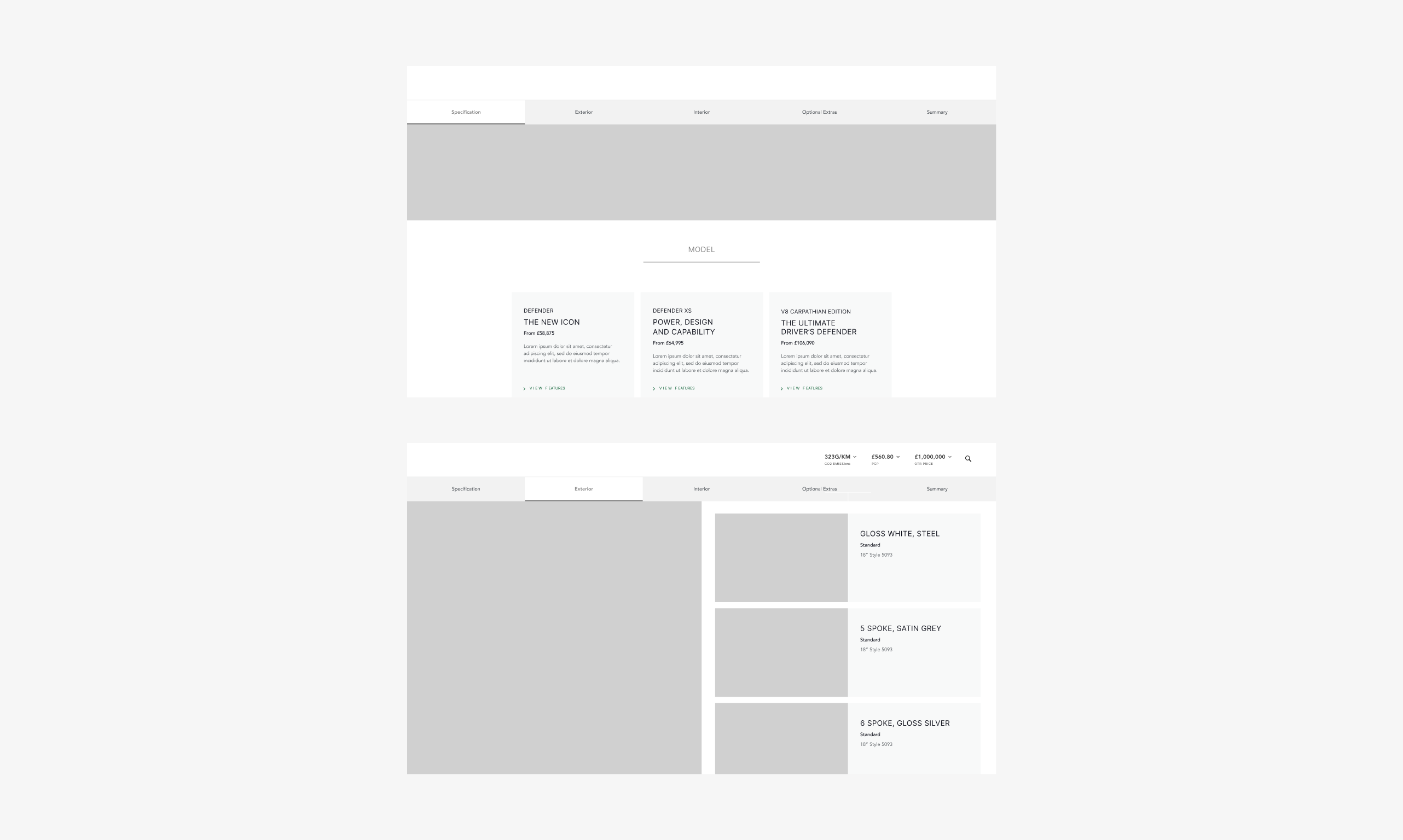
During the wireframing stage, I explored two layout approaches for displaying model options.
Horizontal layout:
↳
Works well for showcasing fewer models but can feel cramped or require smaller text/images if the range expands.
Vertical layout:
↳
Stacks models, creating a clear reading flow and more space for descriptive content.
Following stakeholder reviews and user testing, we opted for the vertical layout. Participants found it easier to scan, and it maintained consistency across devices by avoiding a major layout shift between desktop and mobile. The vertical approach also allowed for larger, more engaging imagery that supported the premium feel of the brand.
FEATURES IN THE REDESIGN
Price
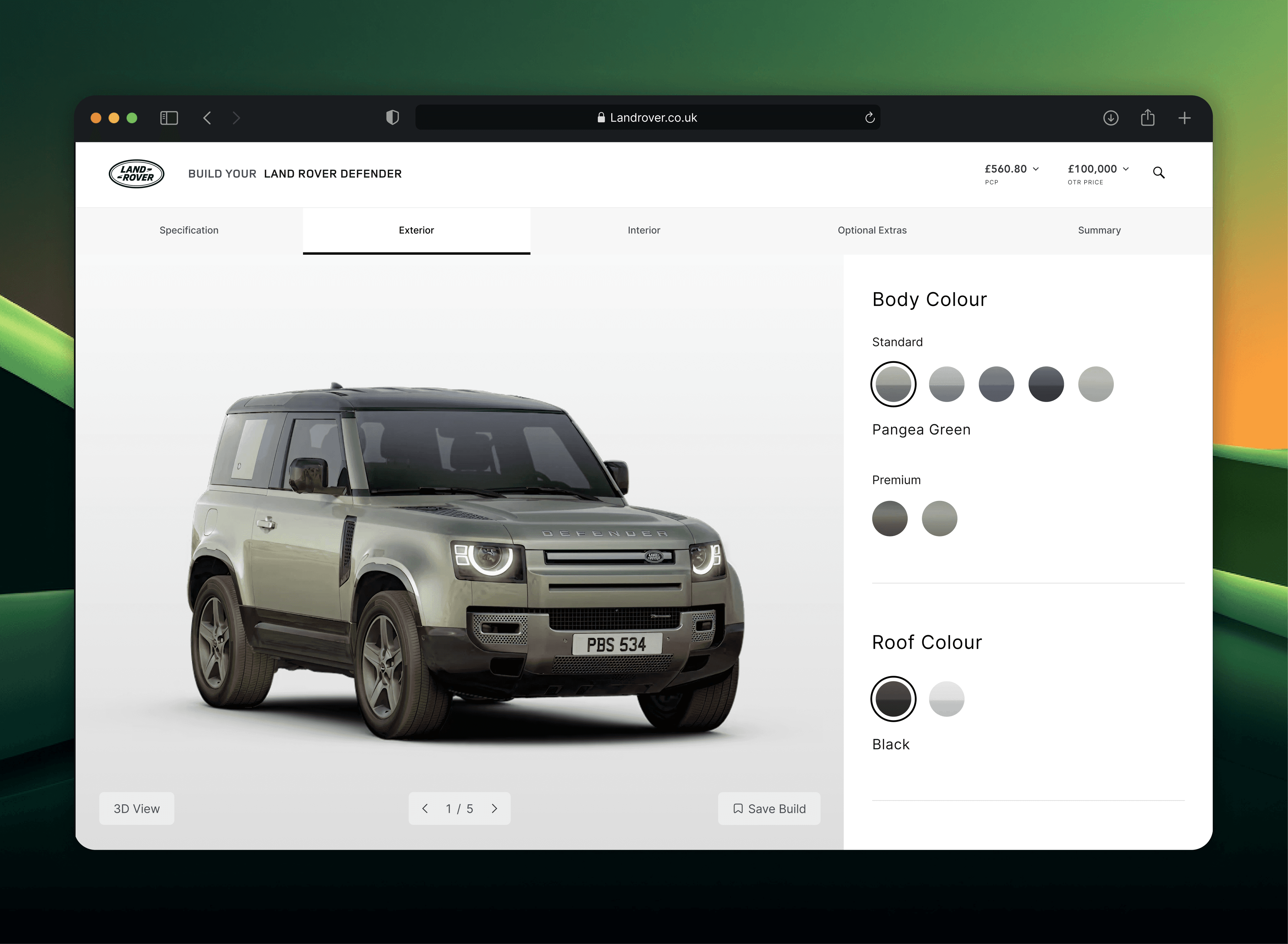
One key pain point identified by the user research was that the price was only available at the end of the journey. To address this issue, the price has been fully integrated and can now be viewed by the user at any stage of their journey.
Interactive elements
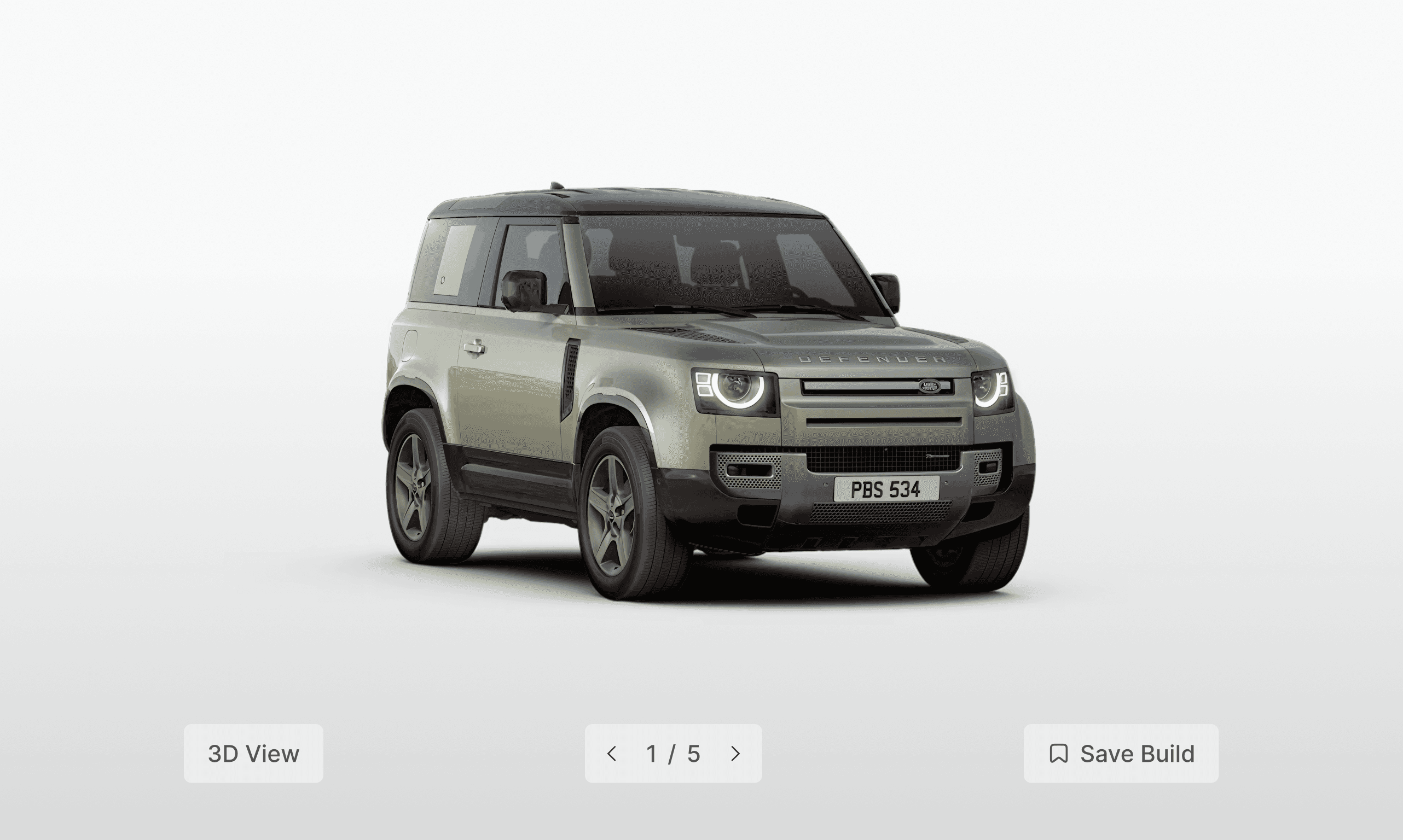
A 3D rendering of the vehicle is now accessible for users to visualise their car. Additionally, users can explore the off-road capabilities of the vehicle by viewing it in various environments and lighting conditions.
Saving a vehicle
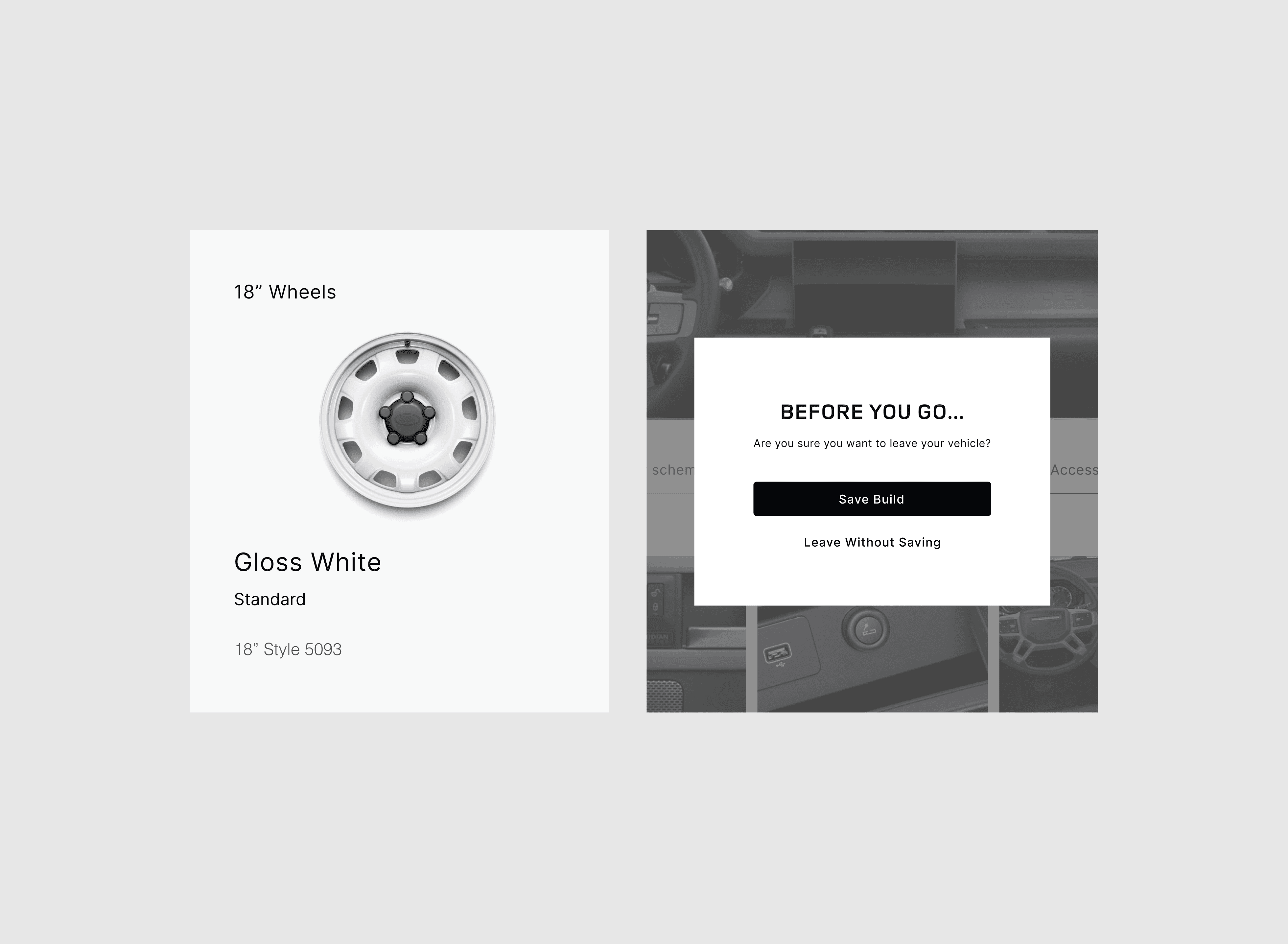
Users now have the option to save a vehicle allowing them to return to it at a later stage without the need for a full re-configuration.
USER TESTING
Once wireframes were developed into an interactive prototype, I conducted a second round of user testing with participants from the initial study.
↳
Visibility in price and save feature were positively received.