PROBLEM
The platform didn't speak the language of healthcare
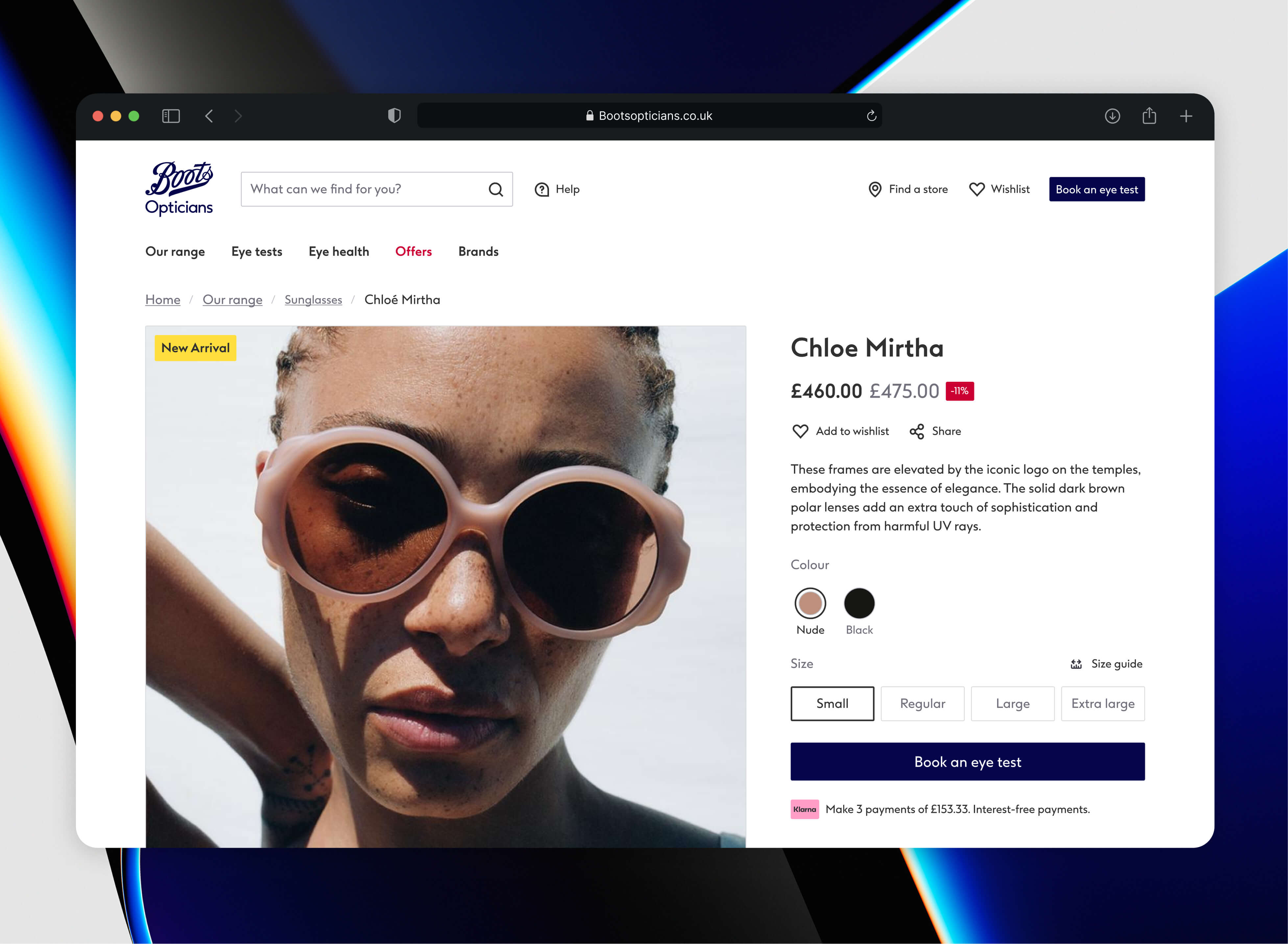
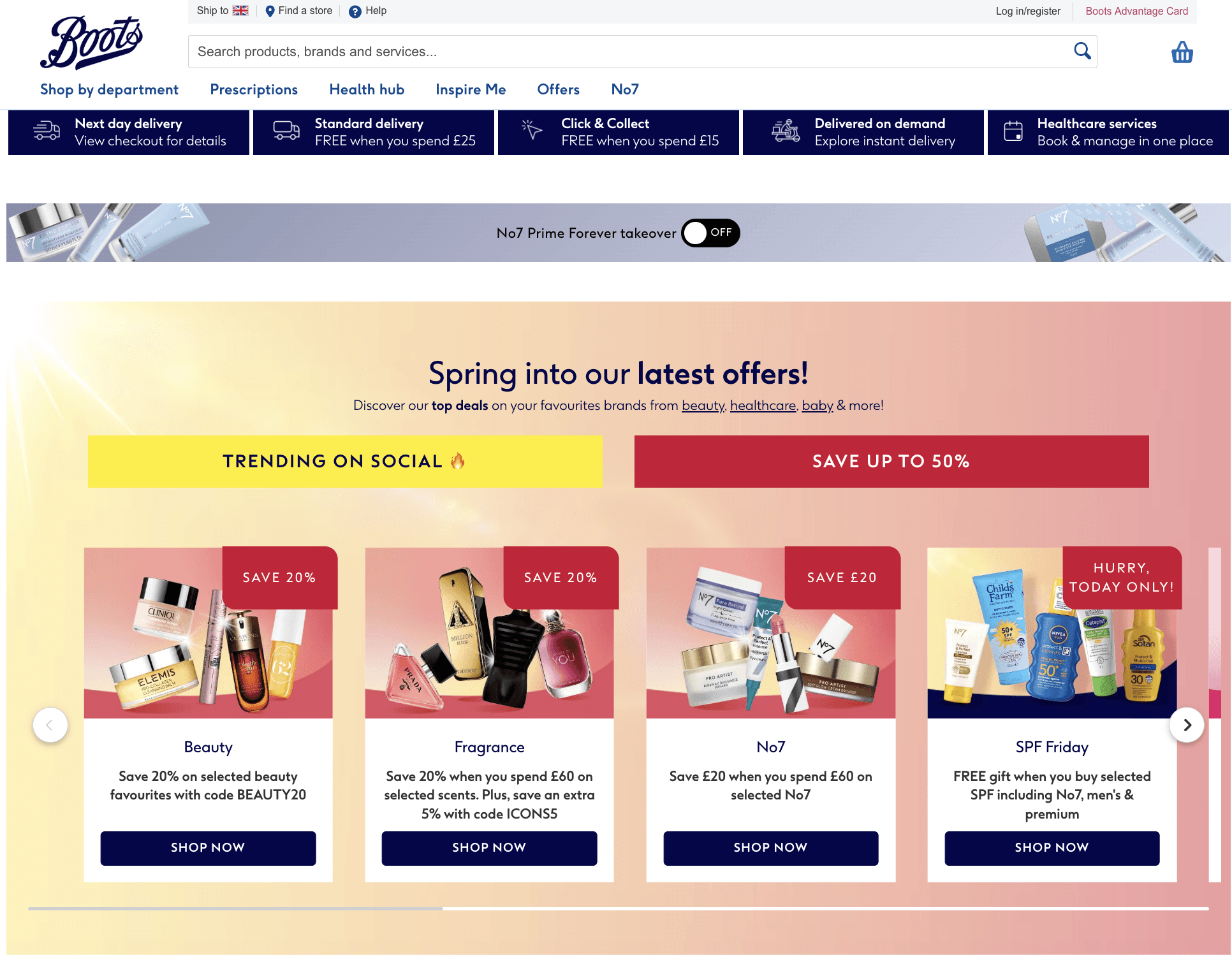
Boots Opticians lived inside Boots.com, a general retail platform optimised for beauty, pharmacy and everyday shopping. This created a fundamental mismatch, optician services require trust, clinical nuance, appointment flows, and accessibility considerations that a general retail CMS simply couldn't support.
RESEARCH
I audited the major UK optician websites across five dimensions: information architecture, appointment UX, accessibility, mobile performance, and trust signals. Here's what I found.
↳ Accessibility is an afterthought across the board.
↳ Appointment booking is broken on mobile.
INFORMATION ARCHITECTURE
Top-level navigation is prime real estate, eye health had been living in the basement
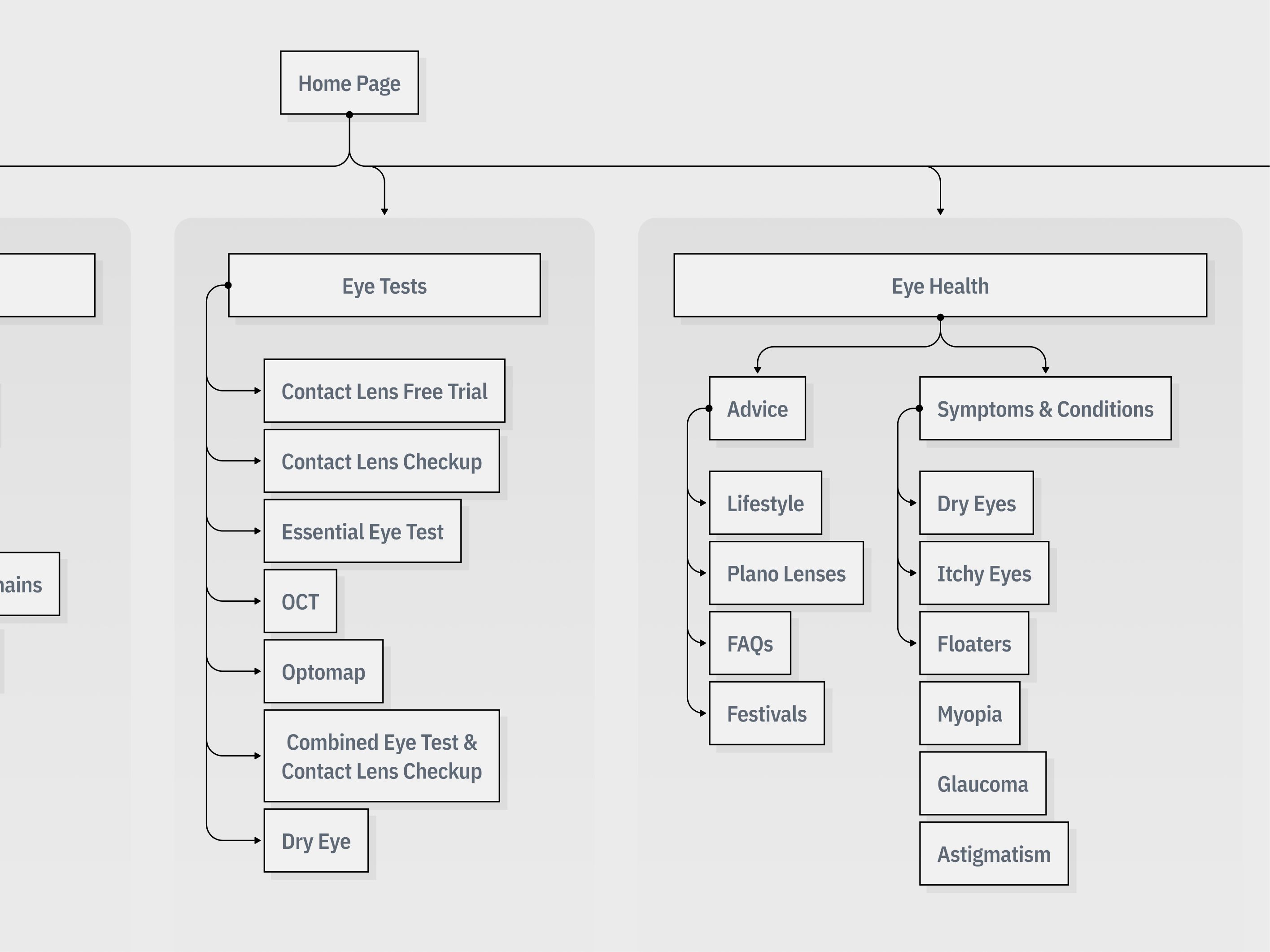
The IA was rebuilt from scratch, with top-level navigation structured around user goals rather than product categories. Eye Tests and Eye Health become first-class sections alongside Our Range, reflecting that this is a clinical service, not just a shop.
USER FLOWS
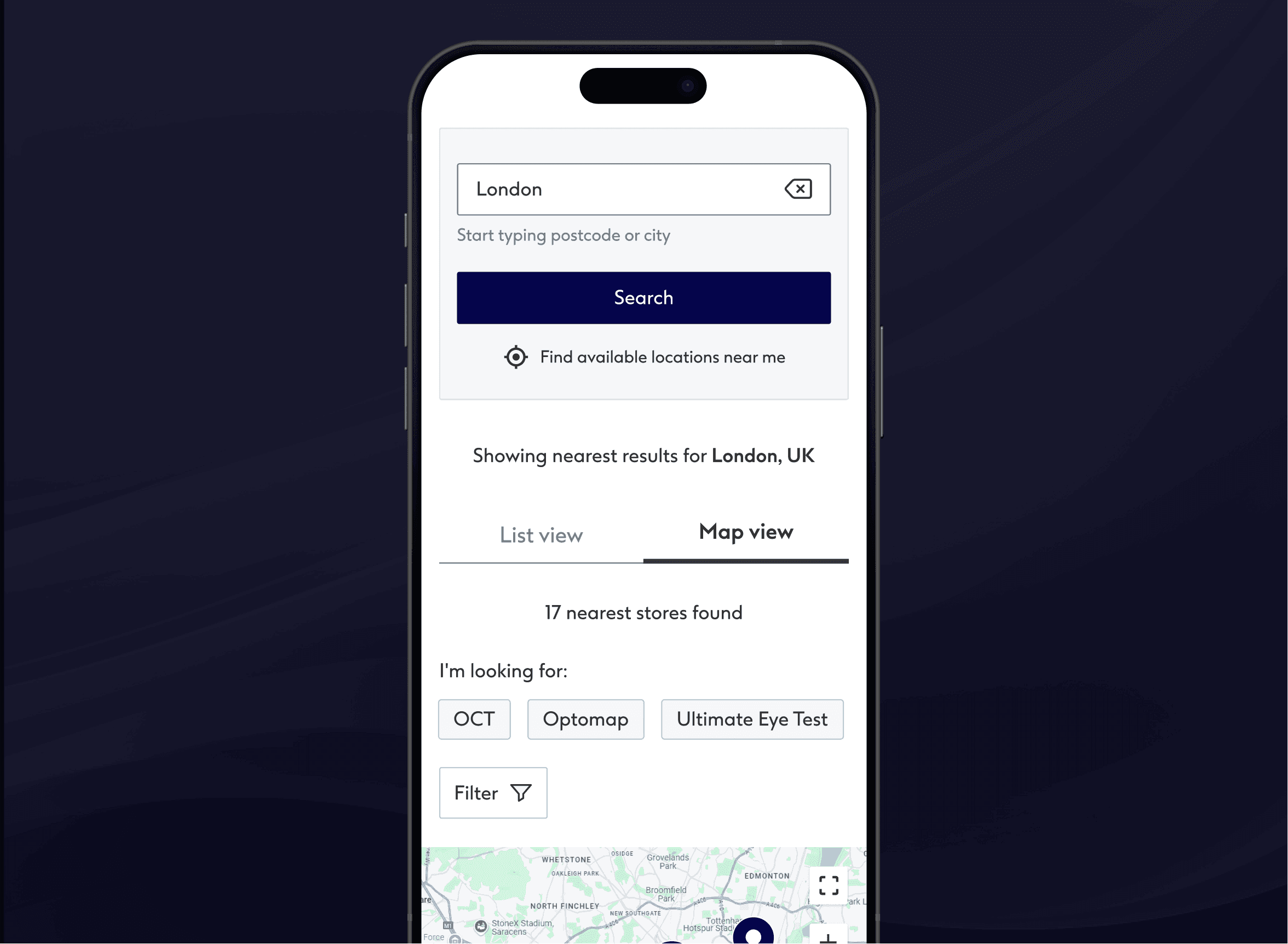
Before any screens were designed, I mapped the critical journeys end-to-end. The store finder to booking flow alone covered six distinct states suggestions, search results, map view, no results, store details, and the handoff to appointment booking. Mapping these upfront exposed unexpected edge cases.
WISHLIST
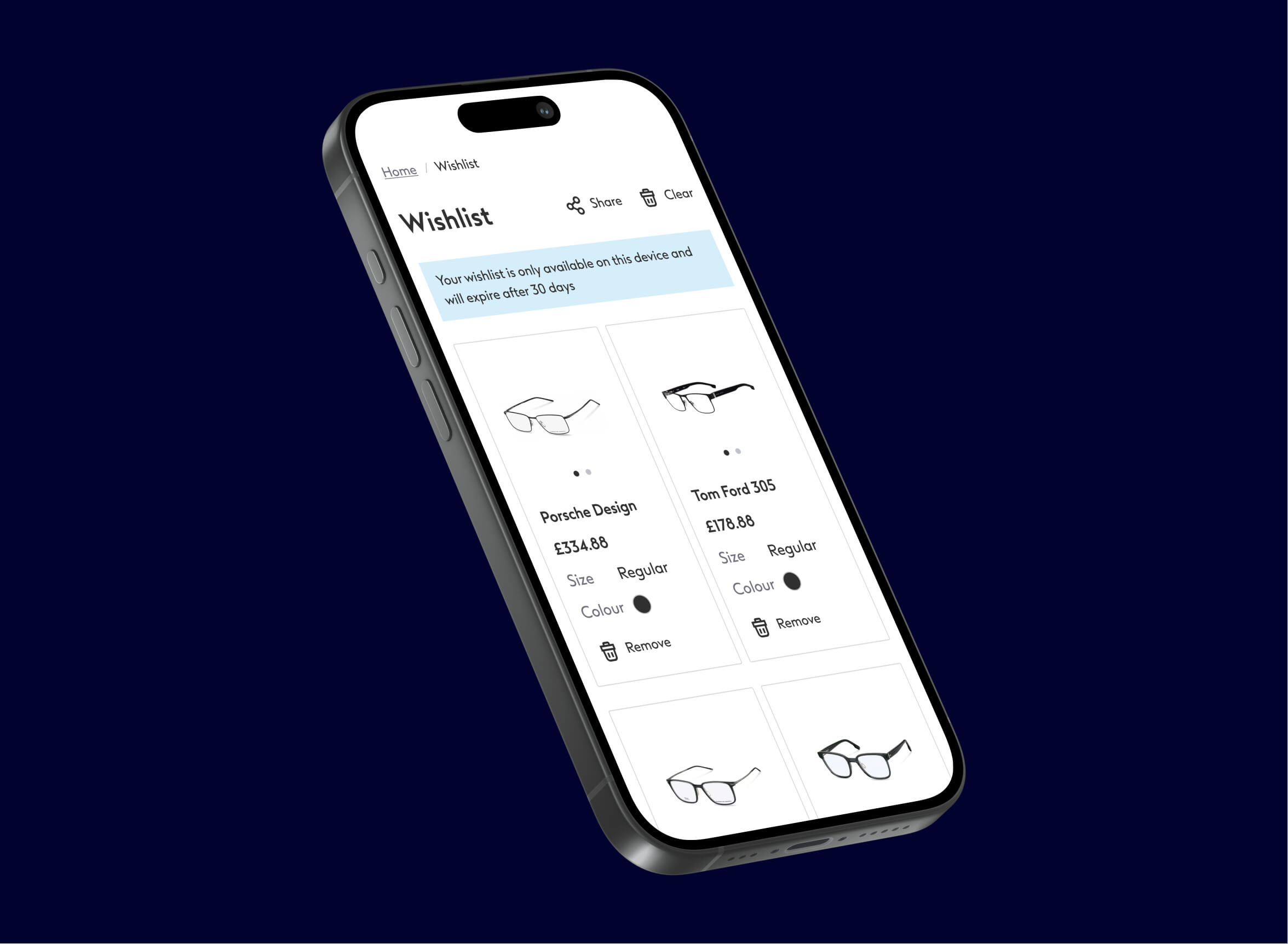
Customers were arriving in store with screenshots on their phones, showing staff product codes or images they'd found online. The digital experience was doing its job of helping people discover frames, but there was no bridge between browsing online and completing the purchase in store. The obvious solution was a wishlist. But the problem was the new site had no account infrastructure yet. A traditional saved list requires a logged-in user, and building authentication was out of scope.
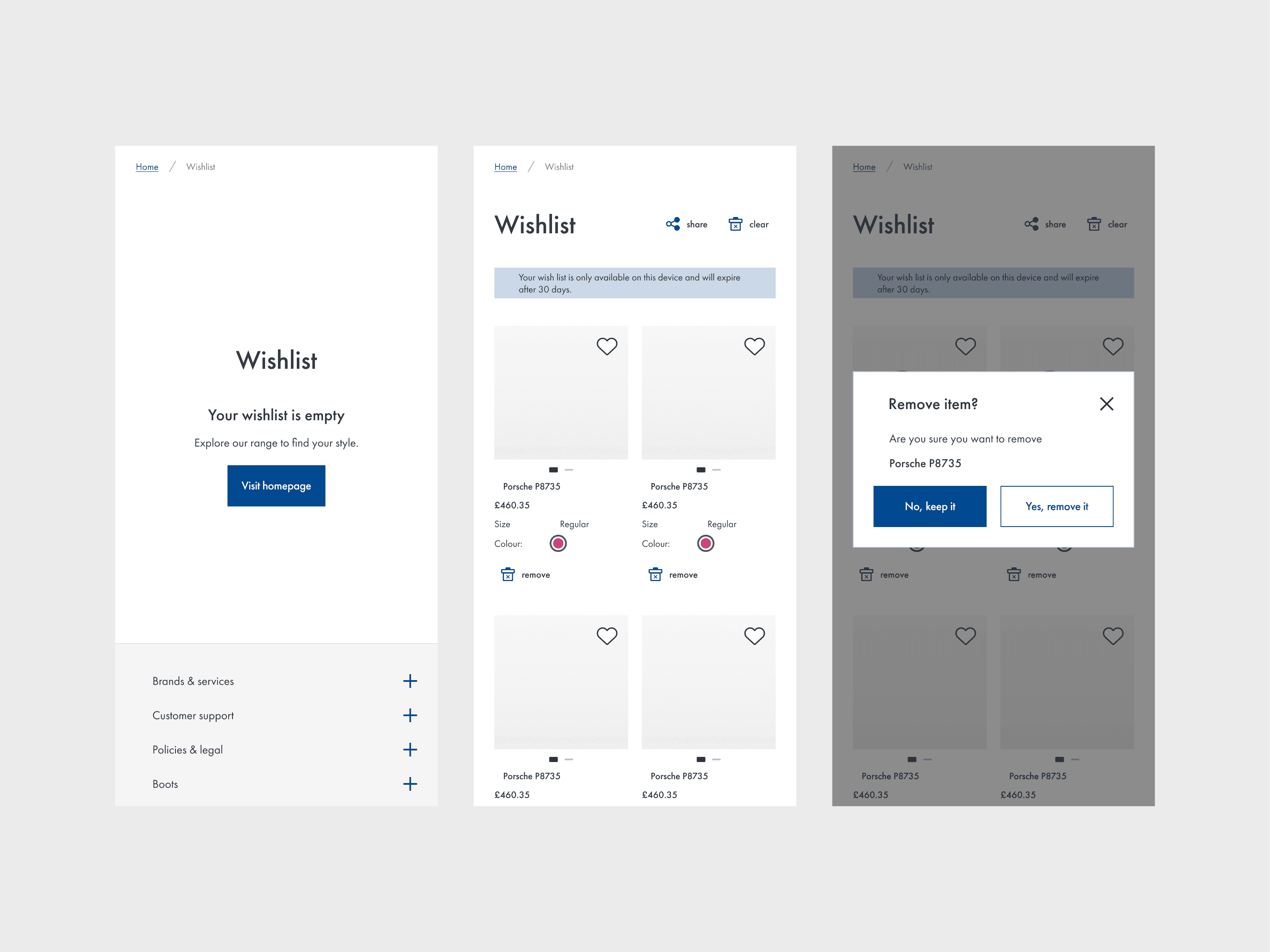
The solution was cookie-based storage. Users could save frames to a wishlist during their session, and that list would persist for 30 days via a browser cookie, no login required. It wasn't a perfect solution, if a user cleared their cookies or switched devices they'd lose their list. We were transparent about this with a clear message explaining how the wishlist worked and that it would expire after 30 days.
SEARCH
The search bar only spoke product
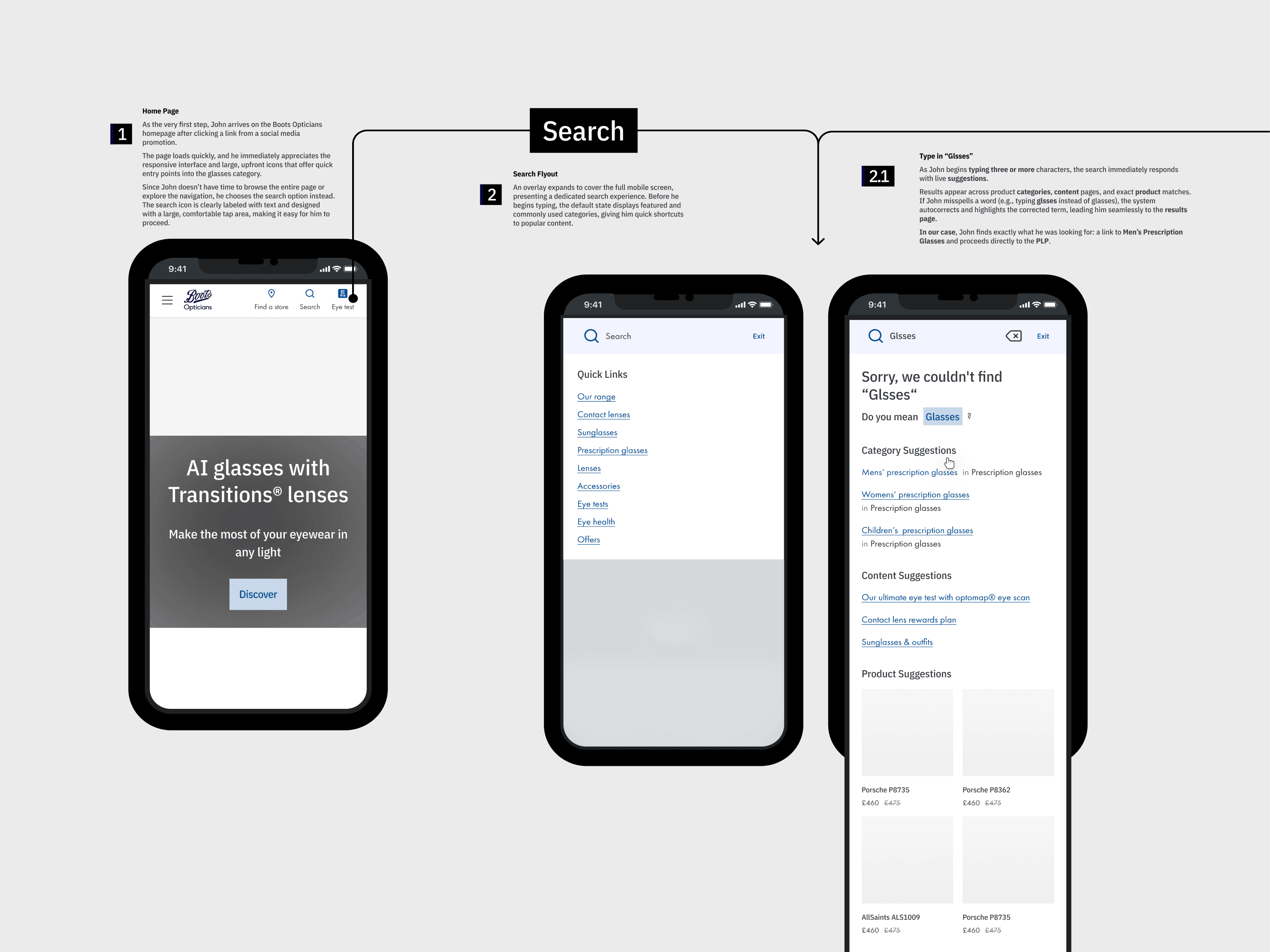
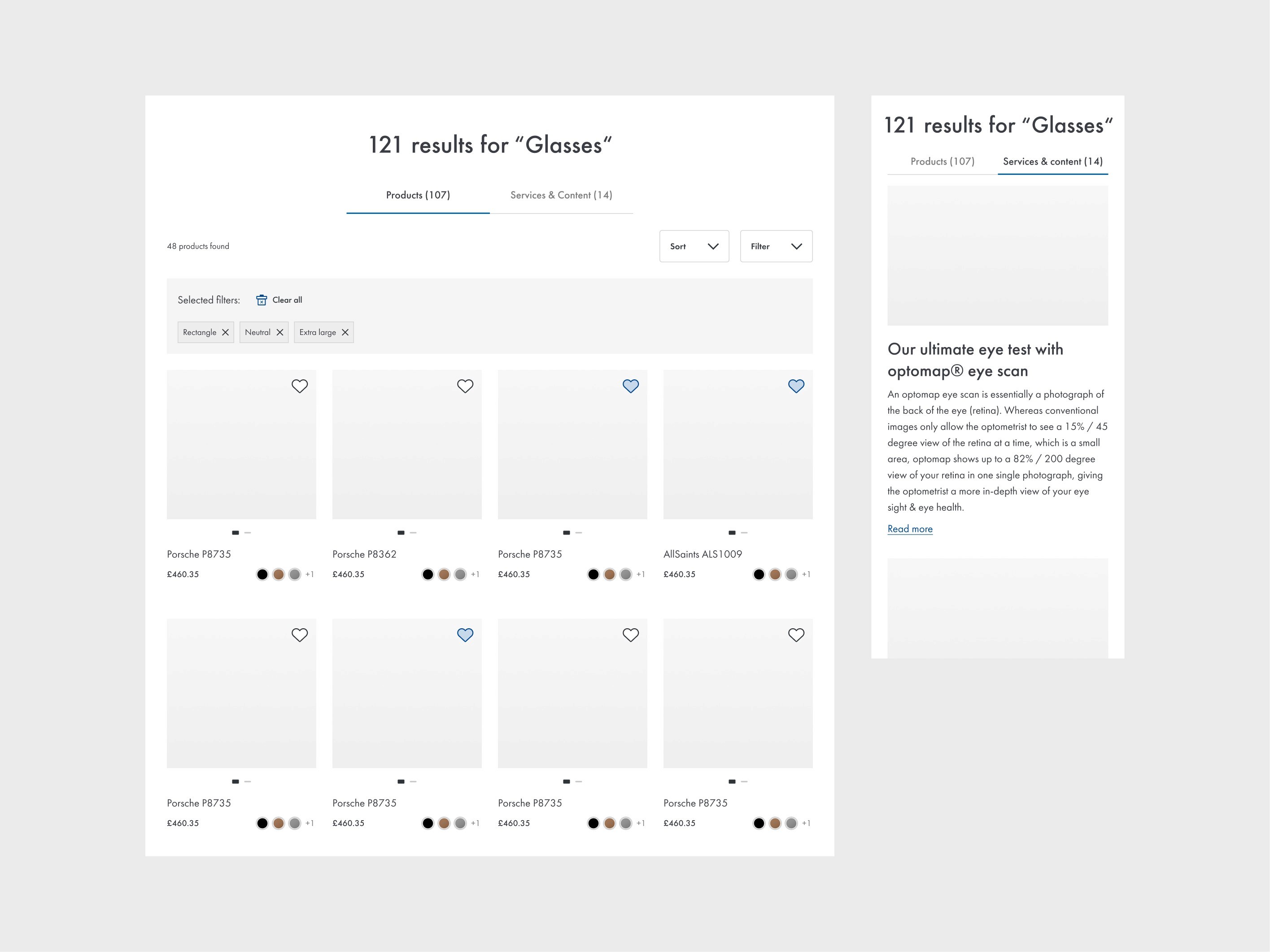
The original search only knew about frames. For a site covering eye health, brands, lens types, and clinical services, that was a dead end. Typing "dry eyes" or "Ray-Ban" returned either a wall of glasses or nothing at all. Stakeholders flagged it as a missed opportunity, but the real design challenge wasn't just expanding what search could find. Surfacing mixed content in a single undifferentiated list would have made results harder to scan, not easier.
The solution was to group results intelligently by type, a search for "Ray-Ban" surfaces both the frame range and the brand page, and a search for a condition returns relevant editorial content. The outcome was a search experience that reflected how users actually think about eye care, not how the product catalogue was organised.
WRONG SOLUTION
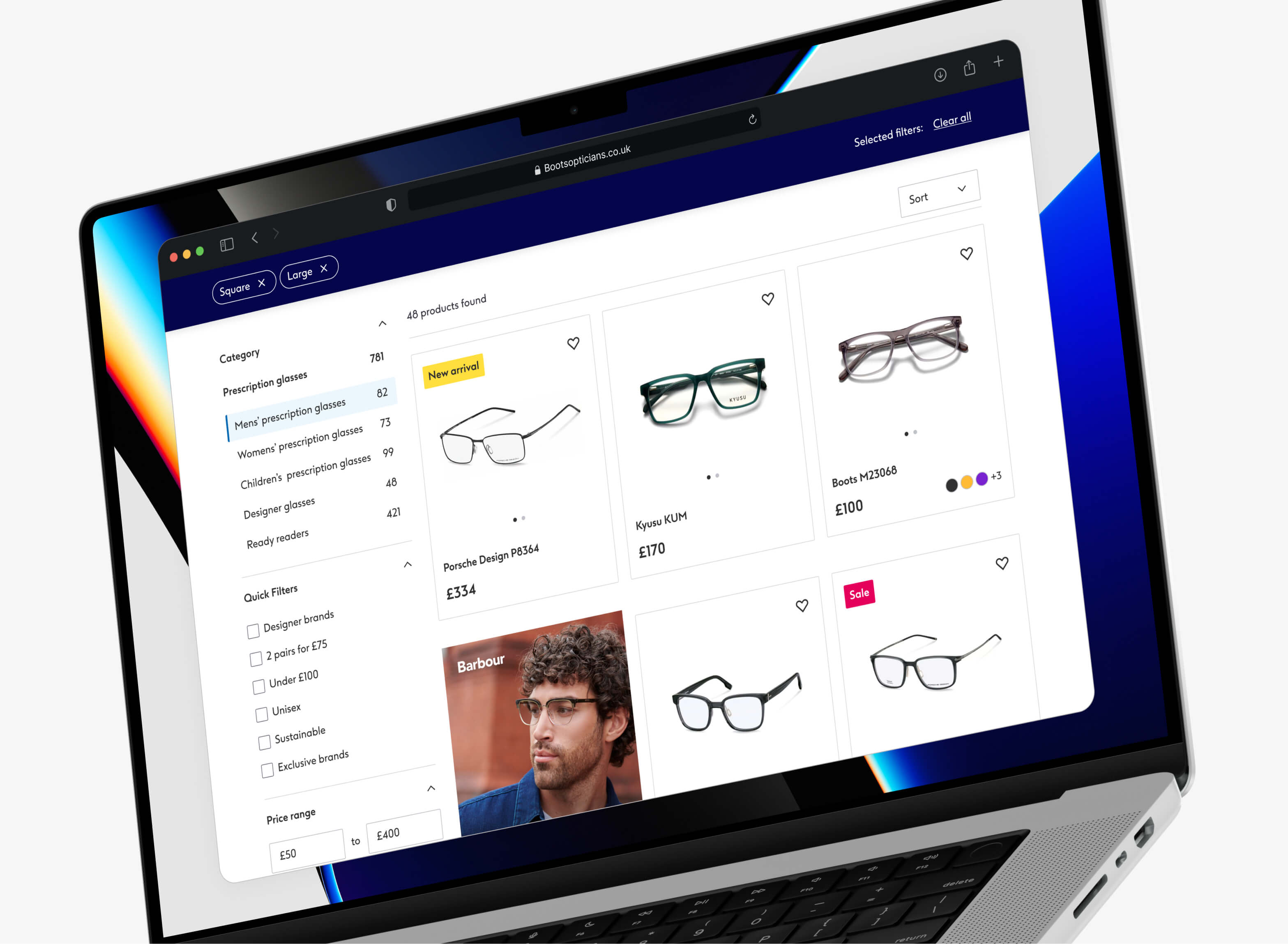
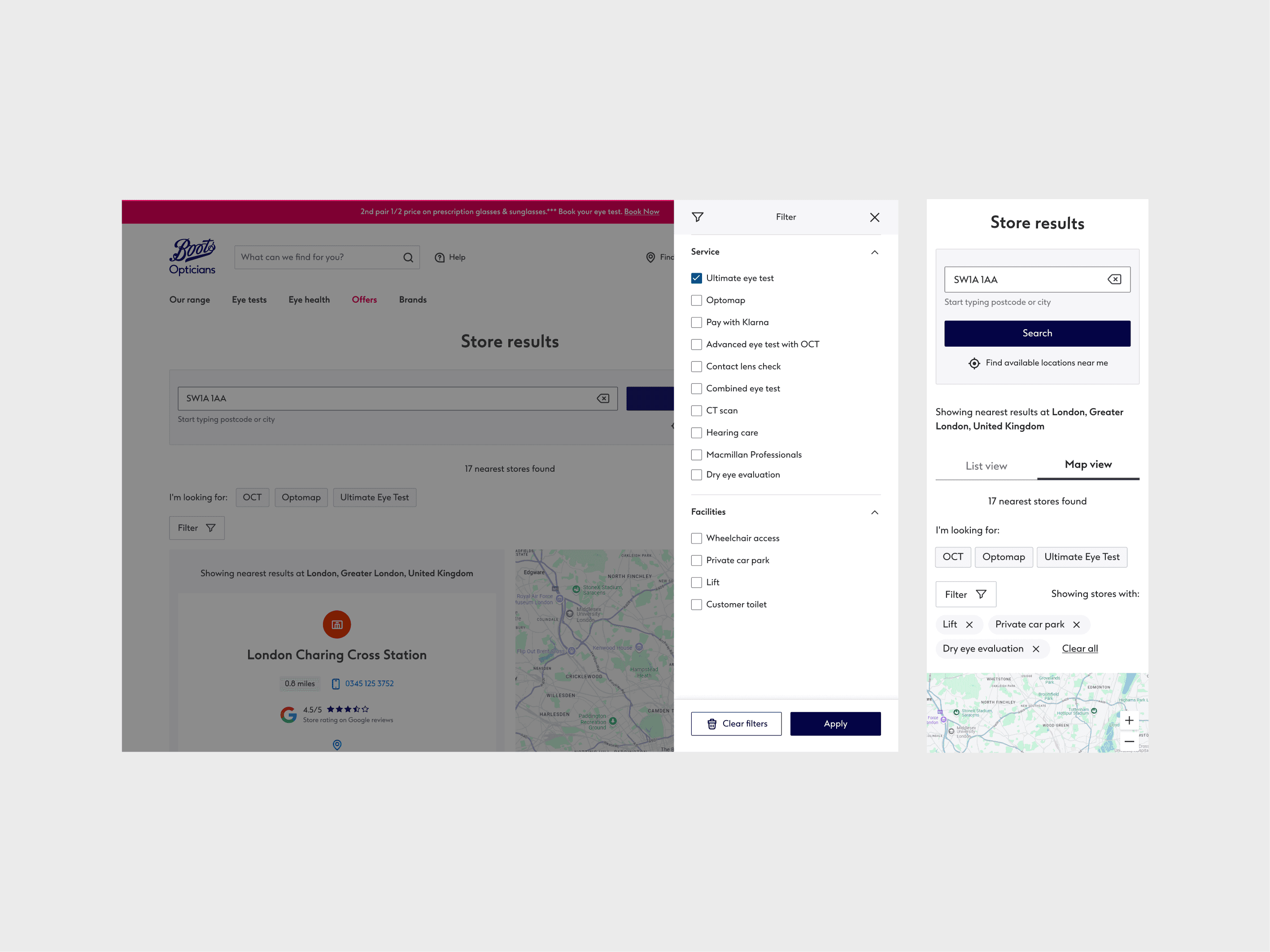
Just before launch, stakeholders wanted a filter for services and facilities on the store locator and suggested reusing an existing dropdown. I agreed with the need but not the approach, with up to 20 filter options, a dropdown would have been unusable. I proposed a pop-out filter panel instead, sliding in from the side of the screen. I also swapped the chevron icon for a filter icon, a chevron implies something opens downward inline, which would have set the wrong expectation for a panel that comes from the side.
While solving the filter problem I spotted a secondary opportunity. Adding a row of quick filters above the results meant users could apply the most common filters in one tap without opening the panel at all. It also gave the business a way to surface key services such as OCT.
ACCESSIBILITY AUDIT
Once the site was built, I ran a full accessibility audit testing with screen readers, zoomed content, and keyboard-only navigation to validate that the experience held up for users who needed it most. Most components passed, but one area that needed attention was instructional content. Step-by-step guides like how to insert contact lenses had been marked up as styled text blocks rather than ordered lists.
A sighted user reading the page wouldn't notice, but a screen reader had no way to communicate sequence or structure. I introduced <ol> elements across all instructional content, so a screen reader could now announce "step 1 of 6" as a user moves through a guide, giving someone with low or no vision the same sense of progress and orientation that everyone else gets visually.
EVALUATION
Three metrics, all pointing the same way
The launch gave the team something they hadn't had before, full ownership of the experience and the ability to move without waiting for central sign-off. Early results validated the core decisions around accessibility, mobile, and appointment-led navigation.